How To: Make A Lasting First Impression

Posted by Rohit Rohila | Posted in Communication, How To | Posted on 31-05-2007

BonnieHave you ever met someone, and within 5 minutes you can’t recall their name? Either you have a bad memory, or that person did not make a lasting impression. The truth is these days you say your “hello” and “nice to meet you” and don’t even think twice.

When I meet someone, I use the following technique to remember them, as well as make a lasting impression on them:

  1. Take the initiative and introduce yourself: “Hello, my name is Rohit Rohila” in a formal setting, or “Hi, I’m Ro” in an informal setting.
  2. They will tell you their name in return. In this example we will say that I meet a person named Bonnie.
  3. Once you know their name, make eye contact, and slowly smile (a key technique that will be explained in greater detail in the future). Having a slow smile lets them know that you are smiling because of them, and not because they are just another body. Once you are smiling and looking them in the eyes, repeat their name and then ask them an amazing question. “Hi Bonnie, how is your day so far?” She will give the automatic response of “good” or “fine” and may even ask you the same question in return. Now what is so special about that question? I’m sure you already ask it every day. Well the magic is in the follow up question: “So what’s the best thing that’s happened to you today?”A question like, ‘What’s the best thing that has happened to you today?’ will leave the person in shock. No one ever asks a question like that. They will pause, recap their day in their mind, and then tell you what happened to them. Let’s say the highlight of Bonnie’s day is that she is celebrating the 5-day anniversary of her newly found relationship. Now the key, REMEMBER WHAT THEY TELL YOU!!!
  4. When the conversation has come to an end, simply recap what has happened, “It was very nice to meet you Bonnie, and I hope that he takes you to a nice dinner for your 6th day anniversary tomorrow!”
  5. Walk away with a smile.

Now say I run into Bonnie again but can’t recall her name. However, I ask her how her new relationship is. Which do you think will make Bonnie feel more special, remembering her name, or her story?

I hope that you enjoyed this article. Please leave a small donation and a kind word of encouragement so that you too can enjoy the gift of giving!

How Much Did Your TV Cost?

Posted by Rohit Rohila | Posted in Things To Do | Posted on 29-05-2007


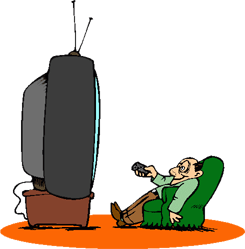
TV ManThis question isn’t as simple as it appears. No, I’m not talking about Plasma, LCD, 50″, 60″, etc and I’m not interested in a great deal you got at a Super Duper Clearance Sale. What I’m talking about is lost productivity. The average person watches 4.5 hours of TV a day, which doesn’t seem like that much, right? But you will be amazed at how it adds up.

4.5 hours a day equals 31.5 hours a week, which in turn equals a little over 2 months! The average person spends 2 months a year watching TV and then wonders why they have so many incomplete projects, why their weight scale goes up slowly day by day, and how they wish they had more time with the kids.

Instead of spending all that time watching TV, get a PVR (Personal Video Recorder) instead and record your programs, watch them once a week and skip the commercials. The bottom line is that when you factor everything in, a TV doesn’t cost you $1,200 or whatever amount you paid for it, it probably ends up costing you over $40,000 a year! If you had an additional free 2 months at the end of the year, would you make the most of it? Well you have it, just hit the power button to turn off your TV, and turn on your life!

I hope that you enjoyed this article. Please leave a small donation and a kind word of encouragement so that you too can enjoy the gift of giving!

How Safe Am I On The Internet???

Posted by Rohit Rohila | Posted in Software | Posted on 28-05-2007

FireFoxBe honest, you have to do some research, find a phone number, get directions, or write a paper about the migratory patterns of the Yellowlegs Bird, and the first thing you do is check the internet. Almost all of my information, from emails, pictures, music, calendars, documents, spreadsheets, are all on the internet. I can go to any computer in the world, and be sitting at my desktop and it’s incredible.

I also do all of my banking, credit cards, stocks, and purchasing on the internet. So I was very concerned with security and how to keep myself safe. Odds are if you are 87% of the world, you are using Microsoft Internet Explorer.

You are among the 87% of the population who deals with pop-ups, viruses, spyware, and other security headaches, or “features” as Microsoft calls them. What are the majority of the other 13% using? Mozilla FireFox.

You may have heard about it, but not known what it is or how to get to it, or even how to use it. They couldn’t have made it easier. They import all of your bookmarks, passwords, and other settings that were stored in Internet Explorer. What are some of the benifits to using Firefox?

  • Built-in spell checker
  • Pop-up blocker
  • Tabs (A real cool feature once you use it)
  • Session restore (Firefox remembers the website you were at)
  • Automatic updates
  • much more.

Download it right now by clicking on the button bellow and you will soon be on your way to a safer internet experience.

I hope that you enjoyed this article. Please leave a small donation and a kind word of encouragement so that you too can enjoy the gift of giving!